
ZifChat practical guide
Help visitors get answers and reach the right person.
ZifChat is a customer communication and commerce plugin by Ziflite Studio. It brings WhatsApp chat and optional AI assistance to a WordPress website, helping visitors ask questions and continue with a human when needed.
Use this guide if you run a service business, online shop, recruitment website or another organisation receiving customer enquiries. Start with your real customer questions, then configure the product around how your team responds.
What you need before you start
- A WordPress website and permission to install plugins.
- The current ZifChat plugin from an official Ziflite Studio download.
- Your team’s WhatsApp numbers, availability and routing responsibilities.
- Accurate business information and a privacy notice for customer conversations.
- For AI assistance, the required Pro access and provider configuration shown in your installed version.
1. Set up your business and chat launcher
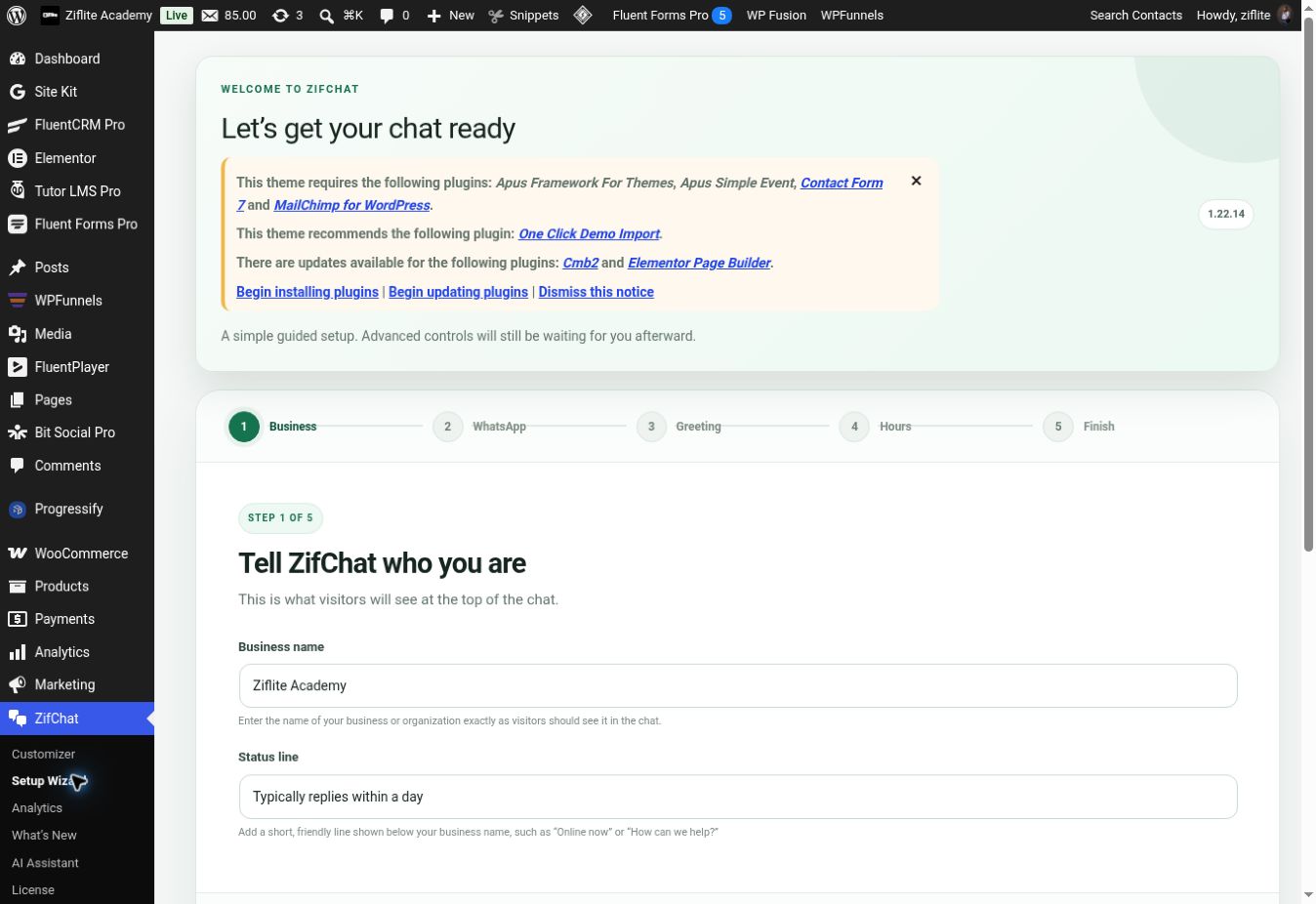
Install and activate the plugin, open ZifChat in WordPress, and complete the setup wizard. Add the business information, choose the launcher appearance and review the live preview. Make the launcher visible without covering important mobile navigation or checkout controls.
2. Add your team and availability
Configure the WhatsApp agents who should receive enquiries. Use clear names and roles, set business and agent hours where available, and decide what visitors should see outside those hours. Check numbers before publishing. Quick replies can help visitors choose a common question or department.
3. Configure AI assistance where supported
Follow the AI setup instructions for your installed version. Enter provider credentials only in the plugin’s admin settings. Add approved business knowledge: services, product information, common questions and contact routes. Review any imported material for outdated claims or personal information.
Test whether answers match your business facts. Do not assume the assistant can reliably answer every question or complete every transaction. Give visitors a clear path to a person when a question requires judgment or information the assistant does not have.
4. Test human handoff
Ask a routine question, an unclear question and a request to speak to your team. Check that the intended WhatsApp contact opens and that any prepared handoff message is useful. Test on both a phone and a desktop, including outside business hours.
Before you launch
- Check launcher placement on mobile and desktop.
- Confirm WhatsApp links and team availability.
- Review answers against your approved knowledge.
- Check the privacy notice and consent settings relevant to your integrations.
- Confirm that the human support route works.
Common questions
Does ZifChat replace my team?
It supports customer conversations and common questions. Your team still handles requests that need personal judgment or help beyond the configured knowledge.
Is AI assistance the same as a WhatsApp launcher?
No. A launcher opens a WhatsApp conversation. AI assistance can answer questions on the website before an appropriate human handoff. Feature availability depends on the edition and configuration.
Where can I compare Free and Pro?
Use the current ZifChat product page and Free and Pro documentation before choosing.